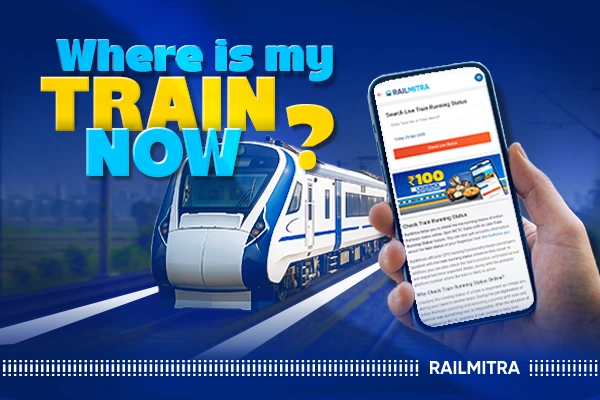
Indian Railways has constantly been working to upgrade the experience of the passengers. It has worked tediously to make trains reach the platform on time. However, still there are many trains that arrive late. A handy online with the passengers in such a situation can be the live train status service.

While passengers might have to wait for a long time at the platform, what aggravates the issue even more is the uncertainty of the delay. Passengers are not aware how long the delay lasts. This difference between waiting while knowing about the delay and then waiting without it is what causes anxiety and panic among the passengers. In this blog, we are try to tackle exactly this issue and make our dear passengers comfortable even when their train is delayed a little.
Live Train Status with RailMitra
Not all platforms are equal when it comes to live train status data. Some update slowly. Some have interfaces clearly designed by people who have never actually stood at a station in a hurry.
RailMitra is what I’d go with. Fast to load, doesn’t bury the live status tool three clicks deep, and the station-by-station breakdown is actually readable on a phone screen. First time using it, keep it bookmarked. Chances are good you’ll be back before the month is out.
How to Check Live Train Running Status on RailMitra
You can easily check live train status on RailMitra. Open RailMitra website or application on your phone or browser. The live train status tool is on the homepage, not buried anywhere.
Enter your train number. Five digits. If you don’t have it memorized, it’s printed on your ticket.
The date selection catches people out. Overnight train, departing Tuesday, arriving Wednesday: enter Tuesday. The departure date, full stop. A surprising number of people enter the arrival date and then wonder why the results look wrong.
Hit search. The screen that comes back shows you the last station the train departed, current delay in minutes, and expected arrival times at stations still ahead. Not complicated once you’ve seen it once.
Ten seconds, start to finish.
Reading the Status Screen Without Getting Confused
While we have made the interface user friendly and easy to understand, the numbers themselves can be confusing sometimes. Here is some information that might solve any confusion.
If the live train status informs that the train is 30 minutes late, this doesn’t mean that train will arrive half an hour late. The delay mentioned in the information is calculated from the last station that was reached. Based on that time, the expected delay time is calculated. The train can move fast after the delay and cover the next station faster, bringing down the delay to maybe 20 minutes, 10 minutes or even on time. So, the delayed time shown is an expected figure, actual timing can vary.
“Running on time” only means on time at the last reported station. After that, nothing updates until the train crosses the next reporting point. Refresh three times in ten minutes and see the same thing: the train is between stations, not frozen. Updates come in when it clears the next stop.
What if You Don’t Have the Train Number
Type a partial name into RailMitra’s search and work from there. “Rajdhani” returns a list. “Howrah Mail” gets you there fast. Pick yours from the results and continue.
Regular traveler on the same route: memorize the number after your first trip. Five digits, doesn’t change. Two journeys and it’s just there in your head, no searching needed after that.
Trains Between Stations: Before the Booking Stage
If you haven’t booked the train ticket and are wondering which train to take, RailMitra’s trains between stations feature can be a helpful tool to you. You just have to enter the boarding station and the station you will get off along with the day of travel. All the trains available on your journey will be displayed to you.
Beats guessing at train names. You can compare departure times, check which classes have confirmed seats available, and go straight to booking from the same page.
Use Trains Between Stations before booking. Live running status after. Two tools, two stages of the same trip.
Train Seat Availability: Worth Checking Early
Find the train, timing works, route is right then Train Seat Availability tells you Sleeper has 74 people on the waitlist ahead of you. Not ideal to find out after you’ve already decided.
RailMitra shows availability across Sleeper, 3AC, 2AC, and 1AC for any date. If one date is packed, the dates around it are visible in the same view. Shifting by a day sometimes clears the waitlist problem entirely. Five seconds of checking now versus a confirmed waitlist ticket later: not a difficult trade-off.
PNR Status Is a Different Question Entirely
People mix these up regularly so it’s worth separating them clearly. PNR Status is about your booking. Confirmed, RAC, waitlisted: that’s what PNR Status answers. It’s tied to your specific 10-digit PNR number and tells you about your seat, your coach, your berth assignment if confirmed.
Live train running status is about the train. Where it is right now, how late it’s running, when it’s expected at upcoming stations. The train has no record of who’s booked on it. These are two separate lookups answering two completely different questions. RailMitra has both, but one does not substitute for the other.
Food Delivery on the Train: Where Live Status Becomes Practical
Booked a meal through RailMitra’s food delivery in train service? Live running status stops being just informational at that point.
Deliveries happen at specific stations. The delivery partner shows up at a designated stop along the route. A train running 90 minutes late means that the stop arrives 90 minutes later than scheduled. If you’re not tracking position and only going by the original schedule printed on your ticket, you might be in the wrong coach at the wrong time when the order arrives, or asleep when it doesn’t.
I learned this the hard way, honestly. Checking live status once the food is ordered just becomes automatic after the first time something doesn’t go as planned.
When Things Don’t Look Right on the Status Screen
Status hasn’t been updated in a while: the train is between two stations. Give it fifteen to twenty minutes. If nothing moves after that, there may be something disrupted on that section, a signal issue, unscheduled halt, or something else. Worth checking general news for the route if the gap stretches beyond an hour.
Train number not found: check the ticket again carefully. Some trains were renumbered a few years back and an older ticket might have the previous number on it. If the number still isn’t resolving, search by name instead.
Status says on time but the train isn’t there: reporting lag at smaller stations. Keep refreshing. Once the train clears the next station, the screen catches up.
Where the Data Actually Comes From
Worth knowing this once and then not worrying about it. No platform generates live train data independently. It all originates from Indian Railways’ own station-by-station reporting system. RailMitra pulls from that feed and presents it without requiring you to navigate government portals to get at it.
What this means practically: dense route with stations close together, updates come in frequently. Long rural stretch between two distant stations, there’s a gap. Not a RailMitra issue. That’s just how reporting works across the network. Knowing this means you read the screen with correct expectations rather than assuming something is broken when nothing updates for twenty minutes mid-run.
Check Before You Leave. Not From the Platform.
This is the only habit that actually changes anything.The train runs 70 minutes late, you find out at home: tea, sit down, leave later. Find out at the station: already there, luggage in hand, waiting on a platform for over an hour. Same data either way. Just when you decide to look at it.
RailMitra’s live train status takes about ten seconds. Before any journey, that ten seconds is worth it.