Ten digits stand between you and knowing whether your berth is confirmed or you’re still stuck on a waiting list. That’s the entire weight a PNR number carries. It’s exactly why checking your Live PNR Status has become such a routine habit for anyone travelling by Indian Railways.

You book a ticket weeks in advance. The excitement of the trip builds up. Then somewhere in between there’s this nagging question: will the seat actually be mine? A quick PNR Status check on RailMitra settles that question in seconds. Honestly, once you get used to doing it, you stop leaving your travel plans to guesswork.
Why People Constantly Check Live PNR Status
Lakhs of tickets get booked every single day on Indian Railways, and out of these, a good chunk land on the waiting list. That’s just how the system works. Someone books six months ahead. Someone books the night before. Cancellations trickle in right till departure. The chart keeps reshuffling itself until it’s finally locked.
There’s a practical reason behind all this checking too. Say your ticket refuses to confirm. You’ll want enough time to arrange something else: a different train, maybe a lower class, or even a bus ticket as backup. Discovering this at the station, bags already on your shoulder, is the worst possible timing.
Families travelling together check it for a slightly different reason too. They want everyone seated in the same coach, ideally near each other. The only way to know coach and berth allotment is by pulling up the PNR details once the chart comes out.
How to Check Live PNR Status Using RailMitra
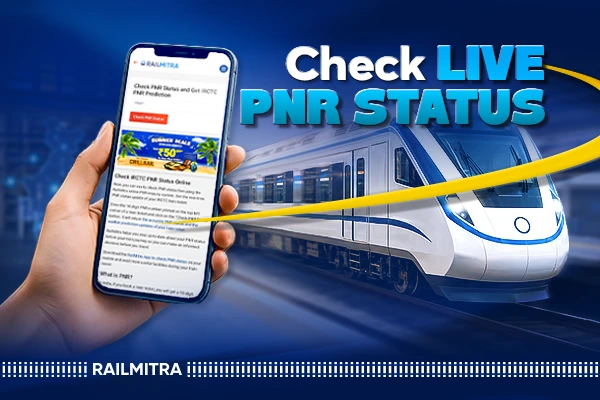
Head to the PNR Status page on RailMitra. Punch in the 10 digit number sitting on your ticket. Within seconds you’ve got your answer: whether it’s confirmed, which coach, which berth, and the class you’re booked under.
If you’d rather not type it in every time on a browser, the RailMitra train app does the same job from your phone. It’s honestly the more convenient route if you’re someone who checks status often during a journey. Install it once, and PNR lookup becomes a two tap process instead of opening a browser and searching each time.
Finding your PNR number isn’t always in the same spot. It depends on how the ticket was booked in the first place. Book online and it’s right at the top of your confirmation email or the SMS that lands on your phone. Walk up to a counter instead, and the number gets printed in bold in the upper left corner of the physical slip. Wherever it comes from, that’s the number you type in. RailMitra fetches the record straight off the reservation database. What you see is current, not something sitting in a cache from three hours back.
For passengers whose ticket sits on the waiting list, there’s a related tool worth knowing about: PNR Prediction. It looks at historical booking patterns and the number of people currently ahead of you on the list. After this process, it then gives a rough sense of your confirmation chances. It isn’t a guarantee. Nobody can promise that. But it does help you decide whether to hold on or start looking at alternatives.
Checking PNR Without Internet Access
Network isn’t always reliable at every station, and carrying a smartphone doesn’t guarantee good signal exactly when you need an update. That’s where the old SMS method still earns its place. Type PNR, then your 10 digit number without any hyphens. Send it across to 139. Somewhere within a minute or two, the reply lands in your inbox.
Calling 139 works too. An automated IVR line takes you through entering the PNR and reads the result back to you. It’s slower than SMS or an app, sure. But it functions on the most basic network connection. That matters a lot more than people give it credit for in stretches of the country where data coverage barely holds up.
Understanding What CNF, RAC, and WL Actually Mean
First time you see a PNR result, those short abbreviations can throw you off completely. So let’s break each one down properly before moving further.
CNF means confirmed. Your seat or berth is locked in. Coach number and berth number are both assigned. You’re set to travel without any complications.
RAC stands for Reservation Against Cancellation. You’re not on a full berth here. You share it with another passenger, but you’re allowed to board and travel. There’s also a decent chance of getting fully confirmed if someone ahead cancels before departure.
WL is the waiting list, and within that there are sub categories worth knowing: GNWL for general waitlist, PQWL for pooled quota, and RLWL for remote location waitlist. Each behaves a little differently in terms of confirmation speed. That’s actually one reason PNR Prediction tools became popular. Understanding which waitlist category you fall under tells you a lot more about your odds than just seeing “WL” on its own.
Should You Keep Checking PNR Status Right Up to Departure
Yes, and there’s good reason for it. Somewhere between four and six hours before the train departs, the final chart gets prepared. That’s the last update waitlisted or RAC tickets will see. Miss that window still on the list, and you’re staying on the list right through to departure. So checking one more time as that window approaches tells you exactly where you stand before you even reach the platform.
It’s also worth checking PNR Status alongside the train’s live running position. A delay of even an hour can change your whole plan for reaching the station. RailMitra’s Live Train Running Status feature shows you where the train actually is on the route right now. It pairs well with a PNR check if you’re trying to time your arrival at the platform without wasting hours waiting around.
A fair number of travellers also line up their PNR against the train time table before heading out. They do this mostly to make sure the boarding station or departure time hasn’t shifted due to some last minute rescheduling. It barely takes a minute. Yet it spares you the kind of confusion that can throw off an entire trip before it’s even begun.
What a Confirmed PNR Doesn’t Tell You
Here’s something people often assume incorrectly: PNR status has nothing to do with where your train currently is or whether it’s running late. It only tells you about your ticket, confirmation, seat, coach, that sort of detail. If you want to know about delays, route progress, or expected arrival at your boarding station, that’s a completely separate check. That’s why pairing your PNR lookup with a live train status check makes so much sense before you actually leave for the station.
A Few Practical Habits Worth Building
Checking your PNR right after booking is mostly about peace of mind. It confirms the transaction actually went through without any glitch. Checking again a day or two before travel gives you a sense of how the waitlist is moving. Checking one last time close to chart preparation tells you the final word. Between these three checkpoints, most surprises get ruled out well before you’re standing on the platform with a bag in hand.
If you’re someone who forgets to check manually, the RailMitra app has automatic status update notifications. So you don’t have to remember to open anything. It just tells you when something changes on your PNR. That’s honestly the easiest way to stay informed without thinking about it constantly.
Conclusion
At the end of the day, tracking your Live PNR Status isn’t complicated. It’s just a habit that saves you from unnecessary stress before a journey. Whether you’re checking through RailMitra’s website, the app, or a plain SMS to 139 when the internet isn’t cooperating, the goal stays the same. Know your seat status early enough to actually do something about it if things don’t go your way. Indian Railways moves a massive number of passengers every single day, and waitlists will always be part of that system. What changes is how prepared you are. A two minute PNR check well before departure is usually all it takes.